 Online Erhverv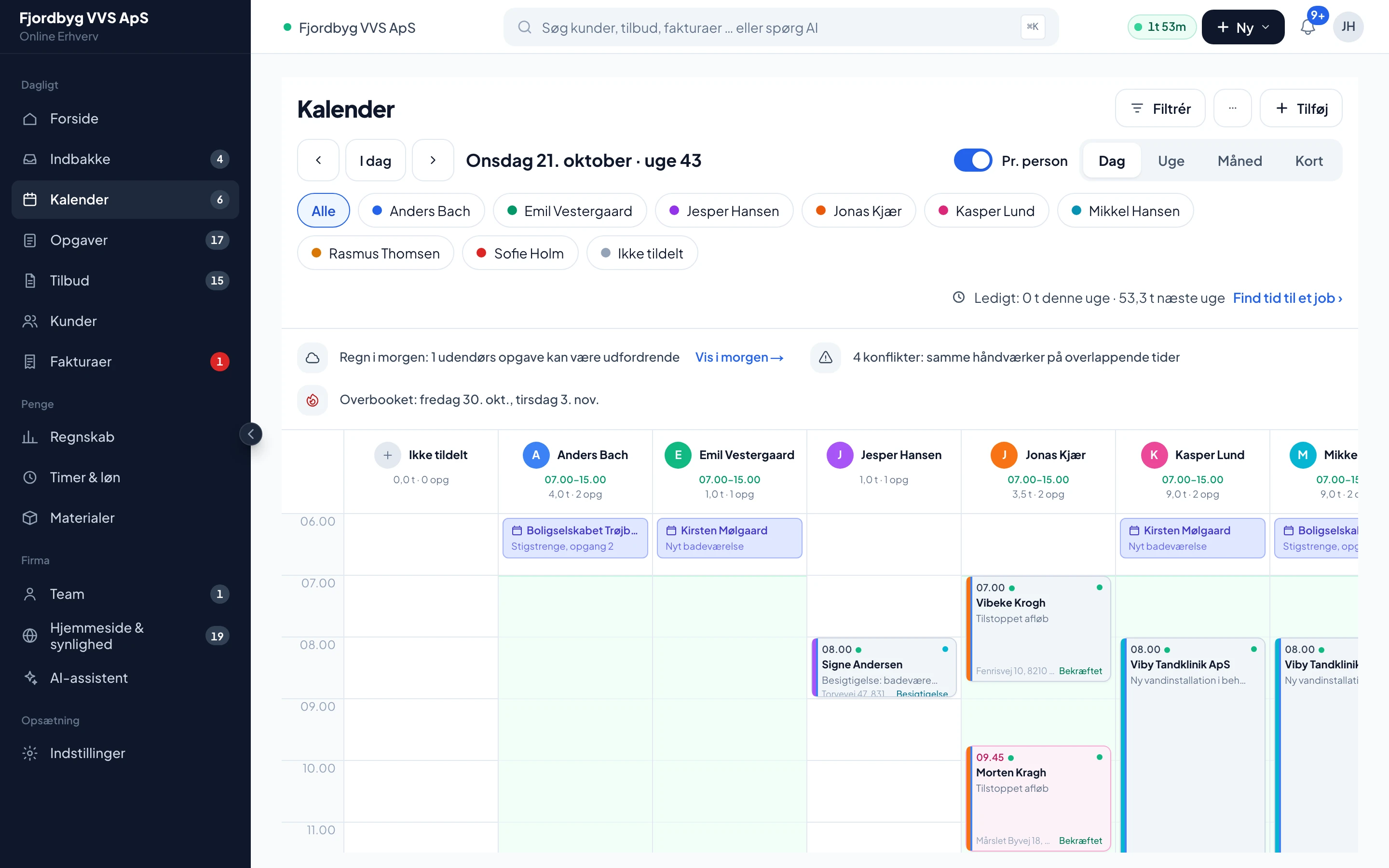
The whole team’s day on one screen
Each employee in their own column and multi-day jobs at the top. Drag a job to plan it.
AI phone, quotes, calendar, employee app, invoicing and payroll in one app for tradespeople. Connected to e-conomic, Dinero and Billy.
No card · no lock-in · 500 DKK/mo for the business excl. VATDanish support weekdays 8am-4pm (Danish time)



“Quotes, hours and invoices used to live in three different systems. Now I finish the quote out in the van, the customer signs before I’ve even left the address, and the AI phone catches the calls I used to miss up on the ladder. I’ve won back an office evening a week.”
Kristian MøllerMaster painter, Maler Gruppen Danmark ApS
Figures from RenoByg
RenoByg is owned by Lucass, who is also a co-founder of Online Erhverv. The figures are RenoByg’s own from just over 5 months in the app (May to October 2026): 25 of 30 decided quotes won (decided = the customer has said yes or no; quotes that are still open don’t count) and a median of 1 day from quote sent to accepted. Quotes the customer said yes to outside the app are included.
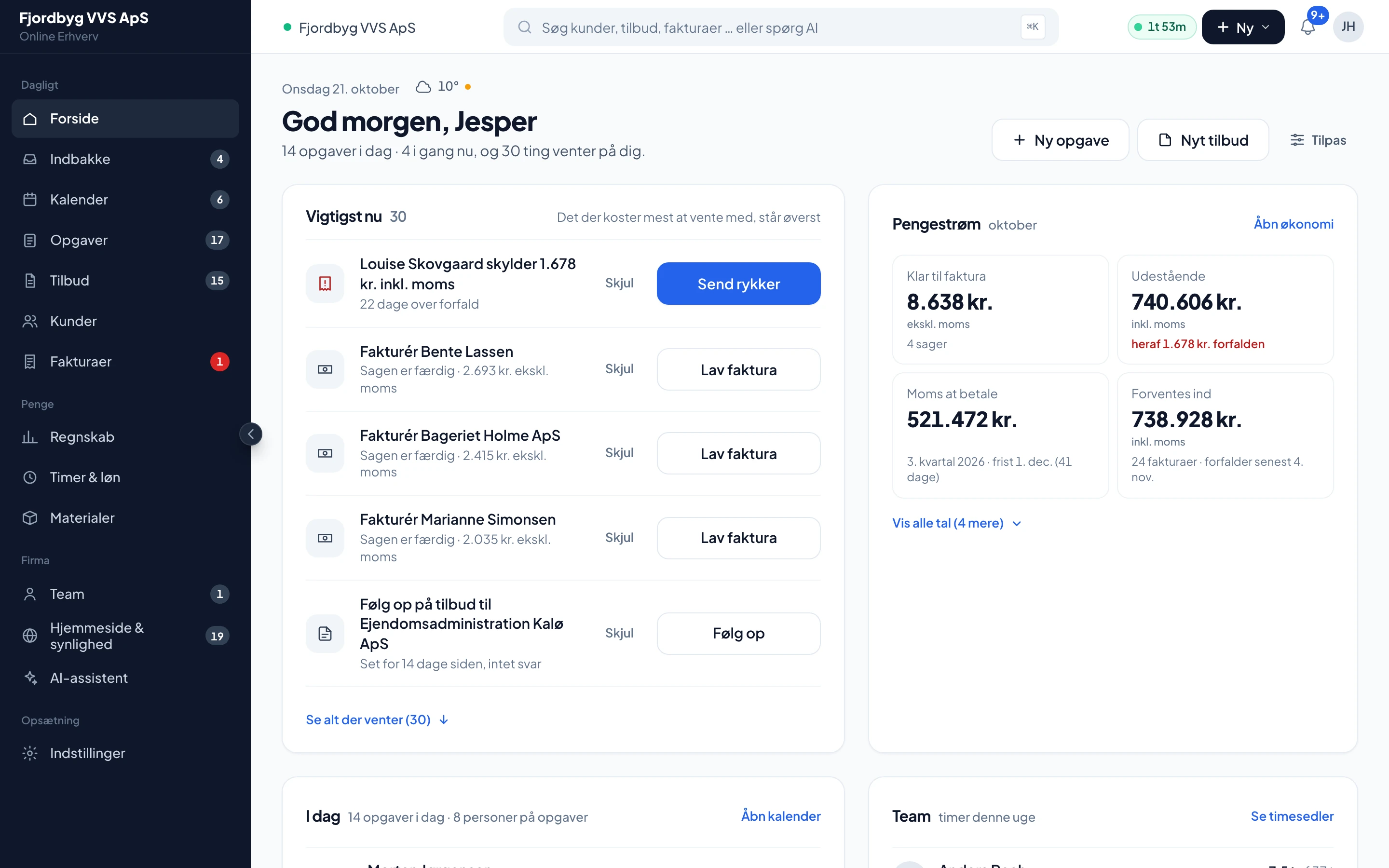
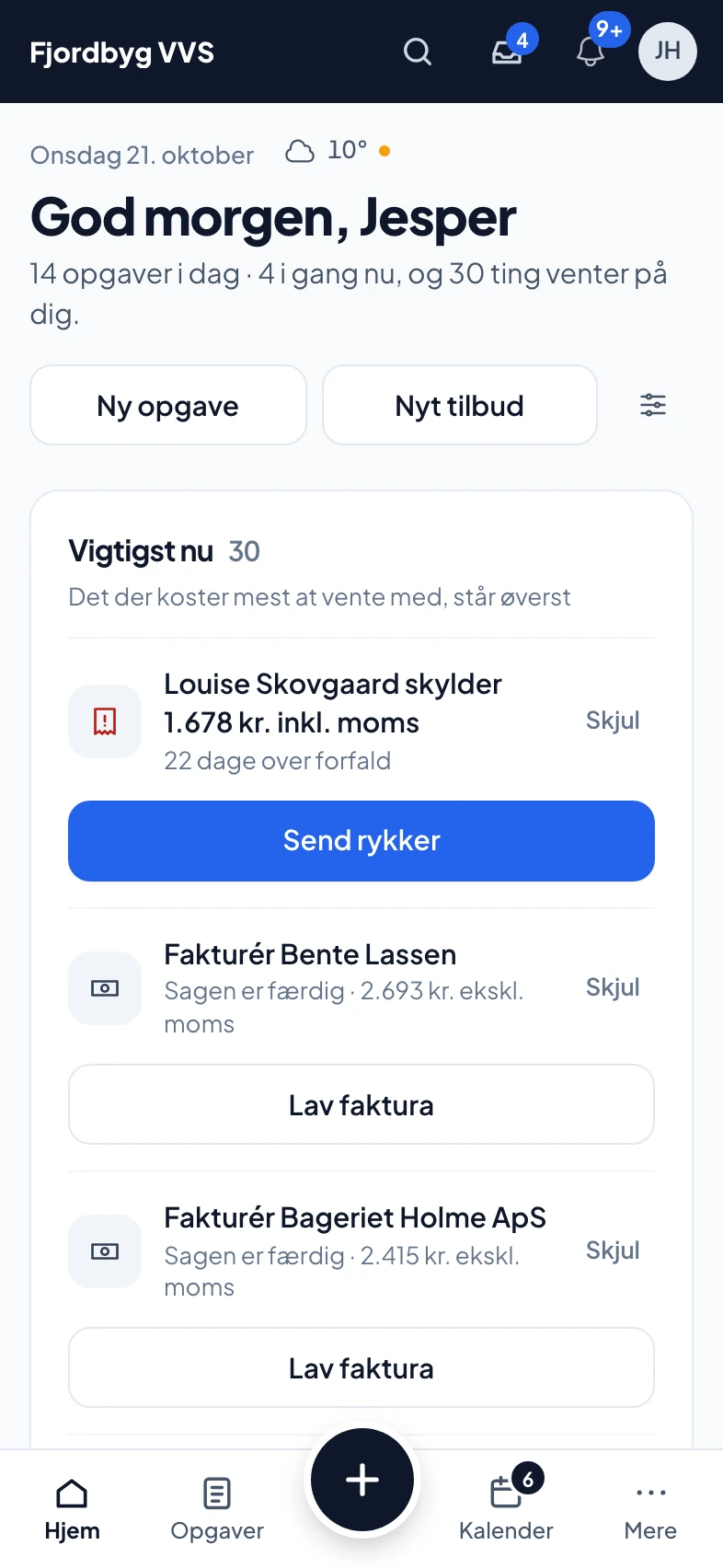
This is how the day fits together in the app. The pictures are taken in the real app (in Danish).
You are up a ladder. The AI phone takes it, asks about the job and sends the customer a link so they can book a site visit themselves. If you prefer, it books directly.
AI phone · this week’s calls answered, including the ones you missed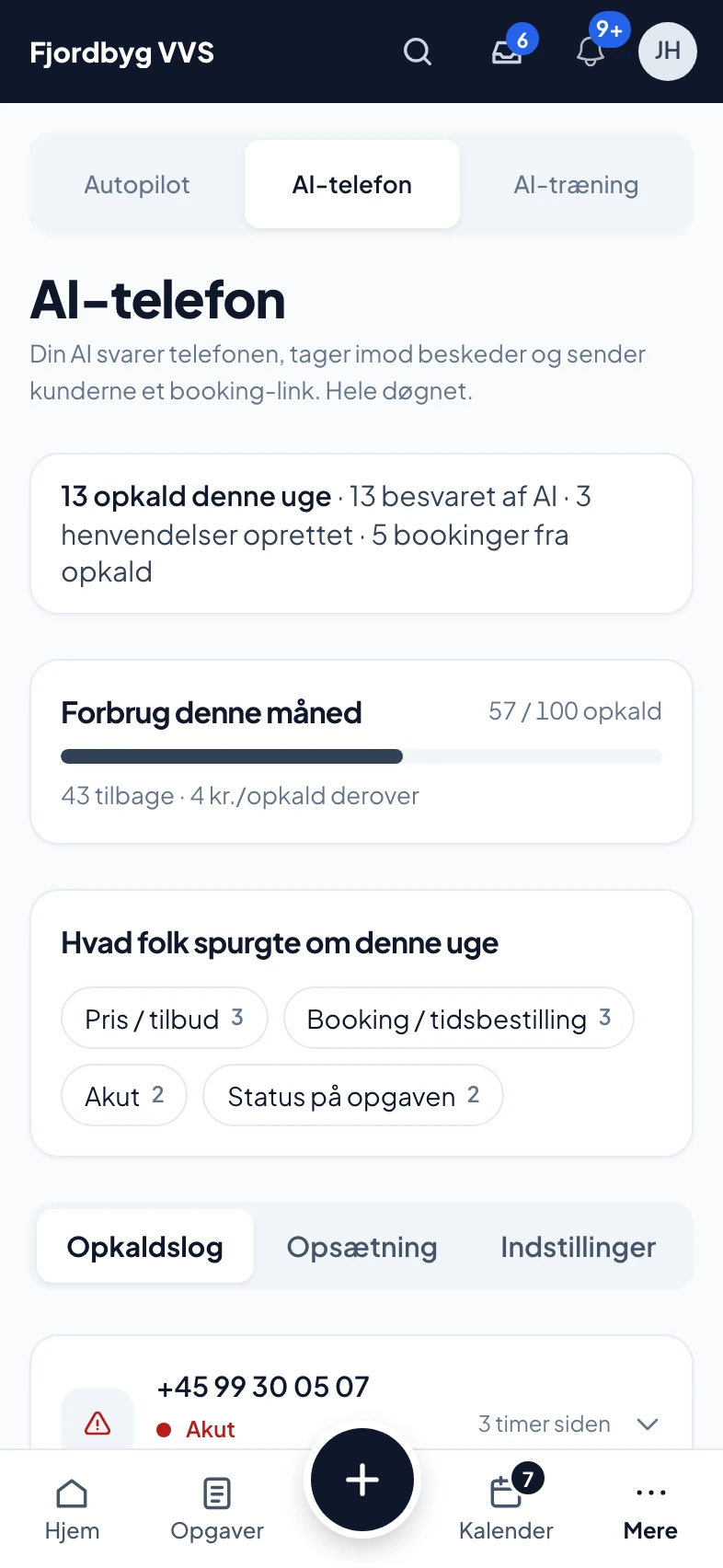
Take a photo, or say what needs doing. The AI writes the lines with your own prices. You correct and send.
Quotes · VAT, change orders and variants calculated correctly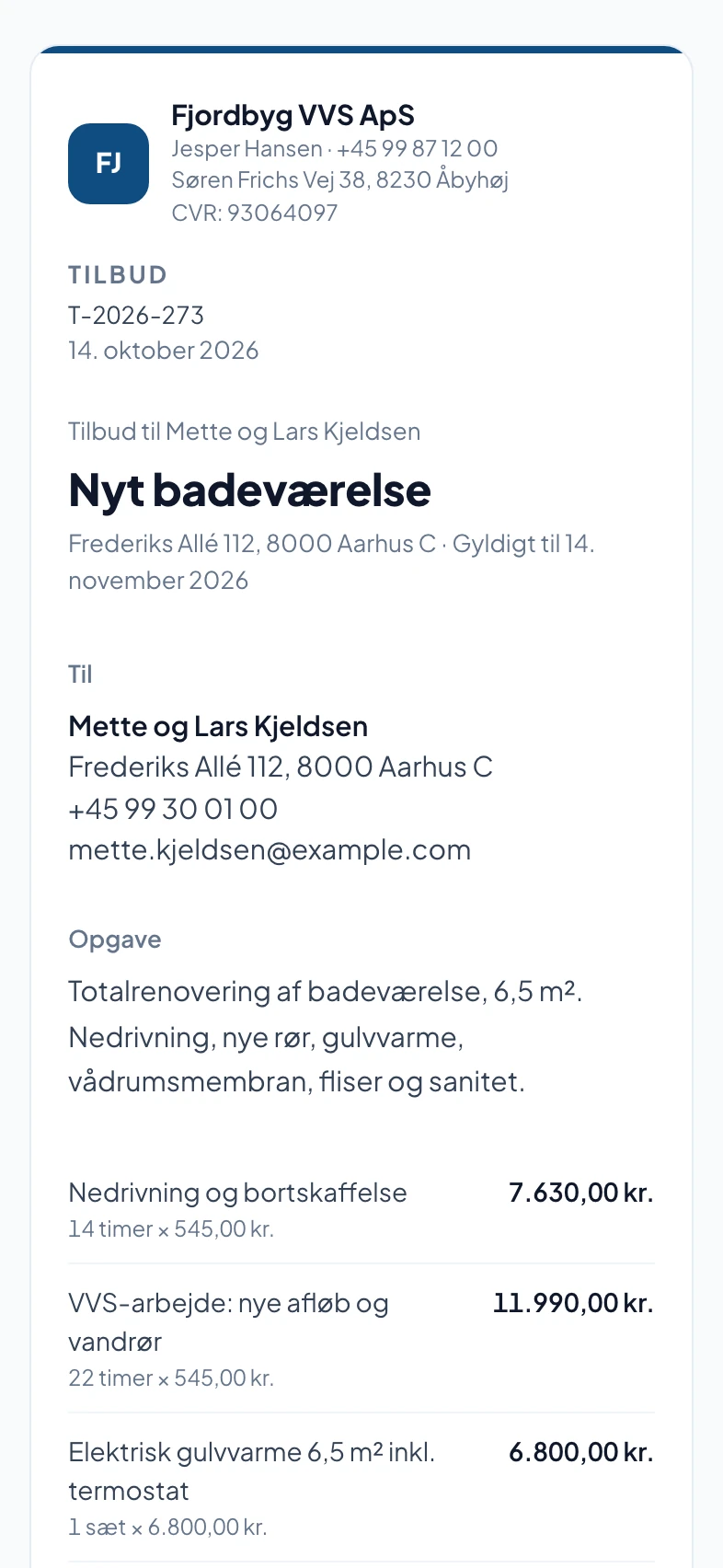
No printing and no emails back and forth. The customer says yes on their phone, and the job is created with the price ready for the invoice. Afterwards the customer has jobs, quotes and invoices in one place on their own page.
Customer page · jobs, quotes and invoices in one place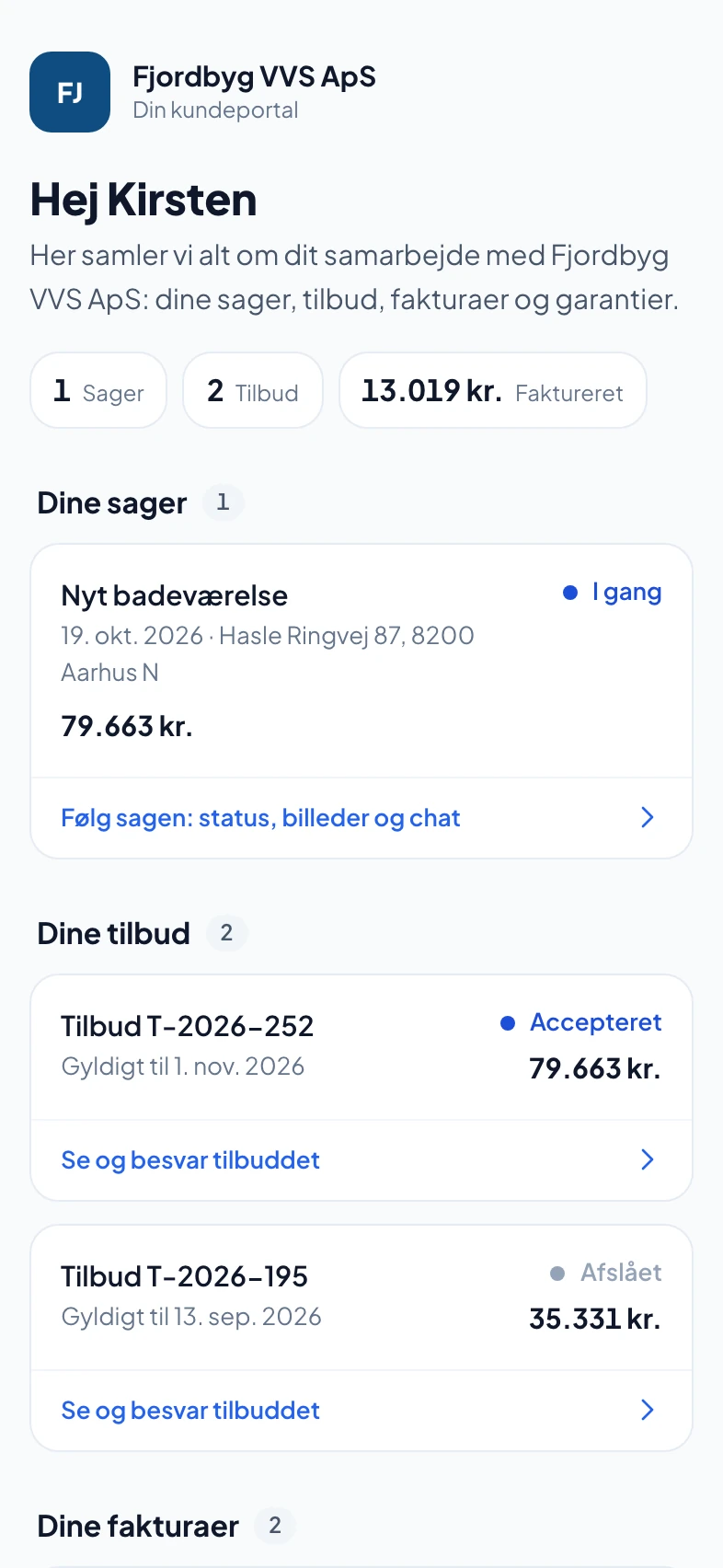
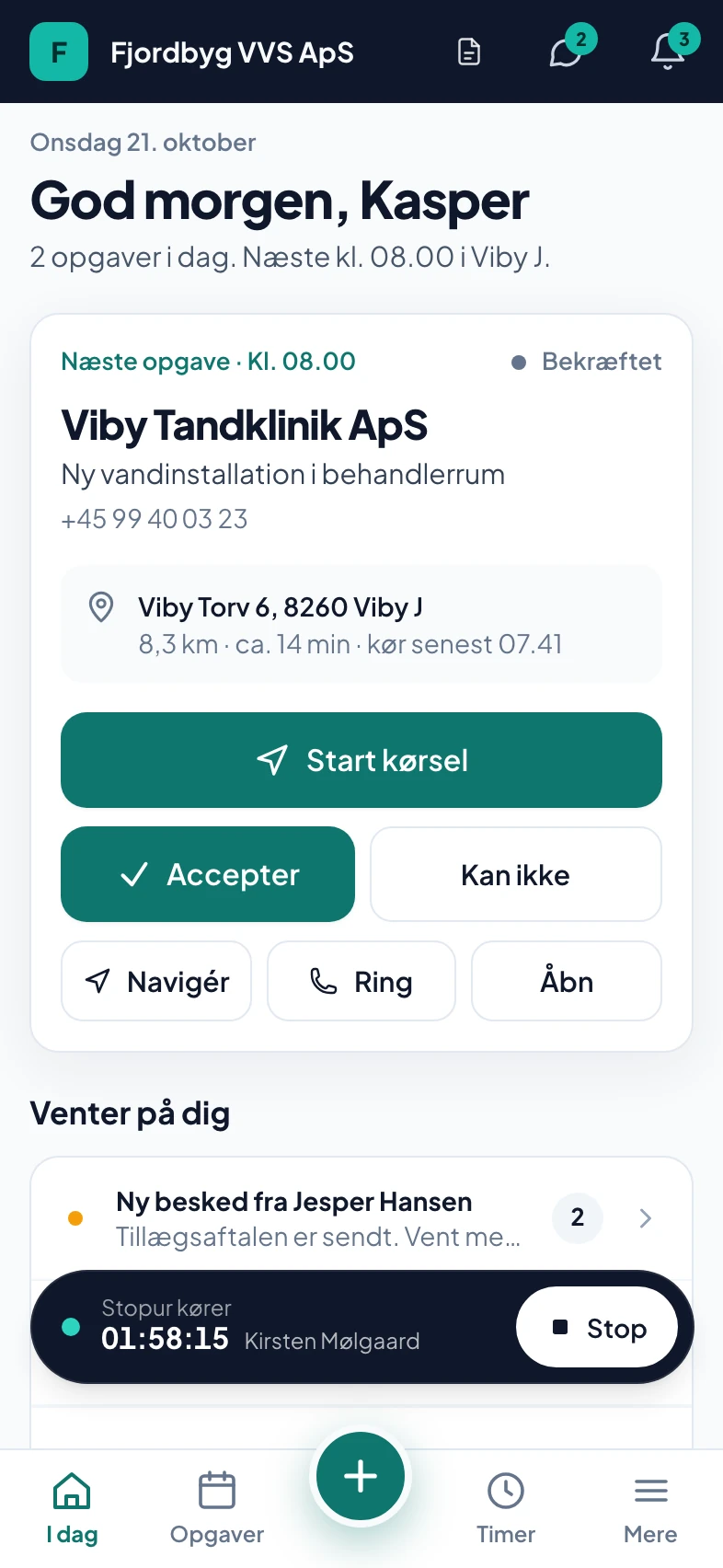
Start job, photos, materials and mileage from the phone. If there is no signal, the app saves the taps and sends them afterwards. Once you have approved the hours, they go on to payroll.
Employee app · directly to Salary, or to Danløn and DataLøn via file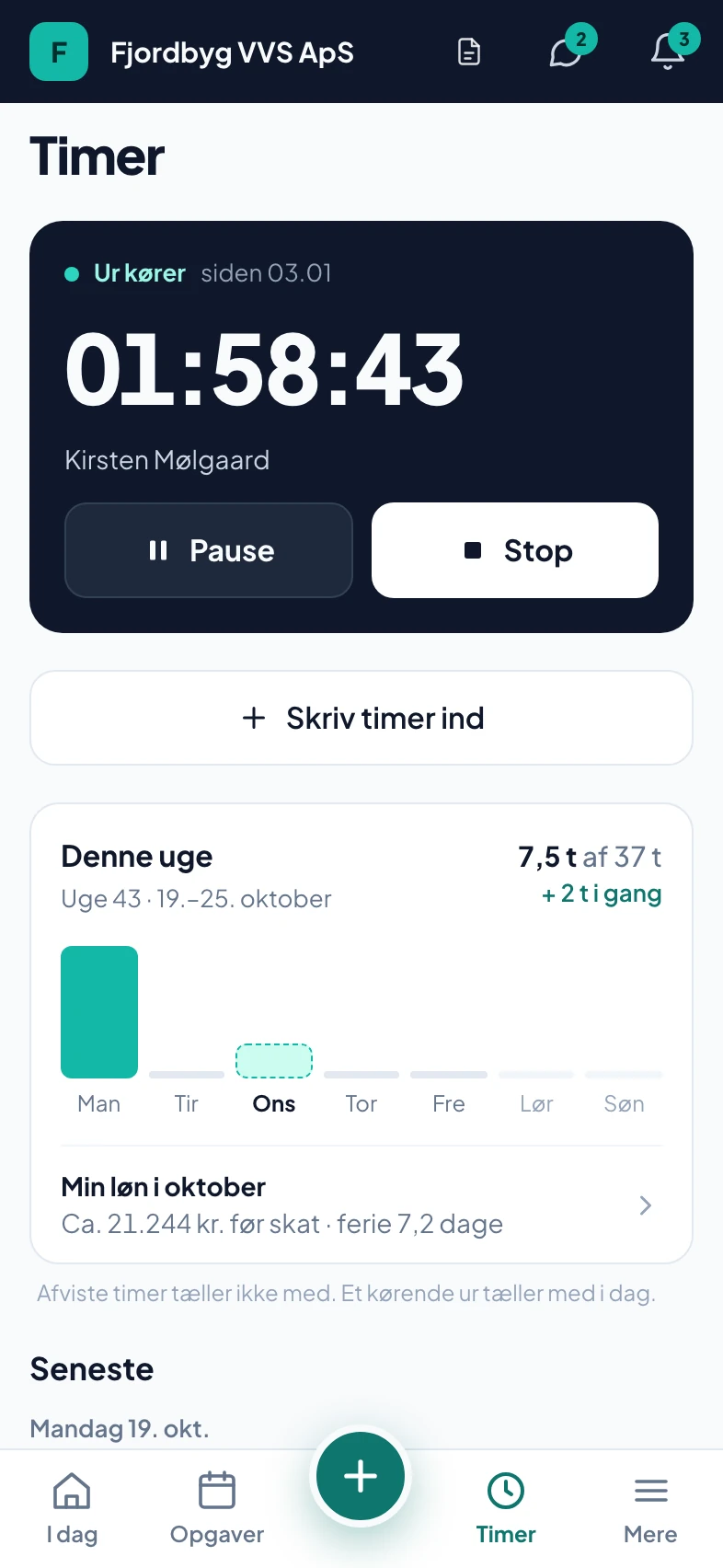
Hours, materials and the quoted price become an invoice with one tap. If you use e-conomic, Dinero or Billy, it is booked there, and the payment comes back into the app by itself.
Invoicing · reminders only when you say so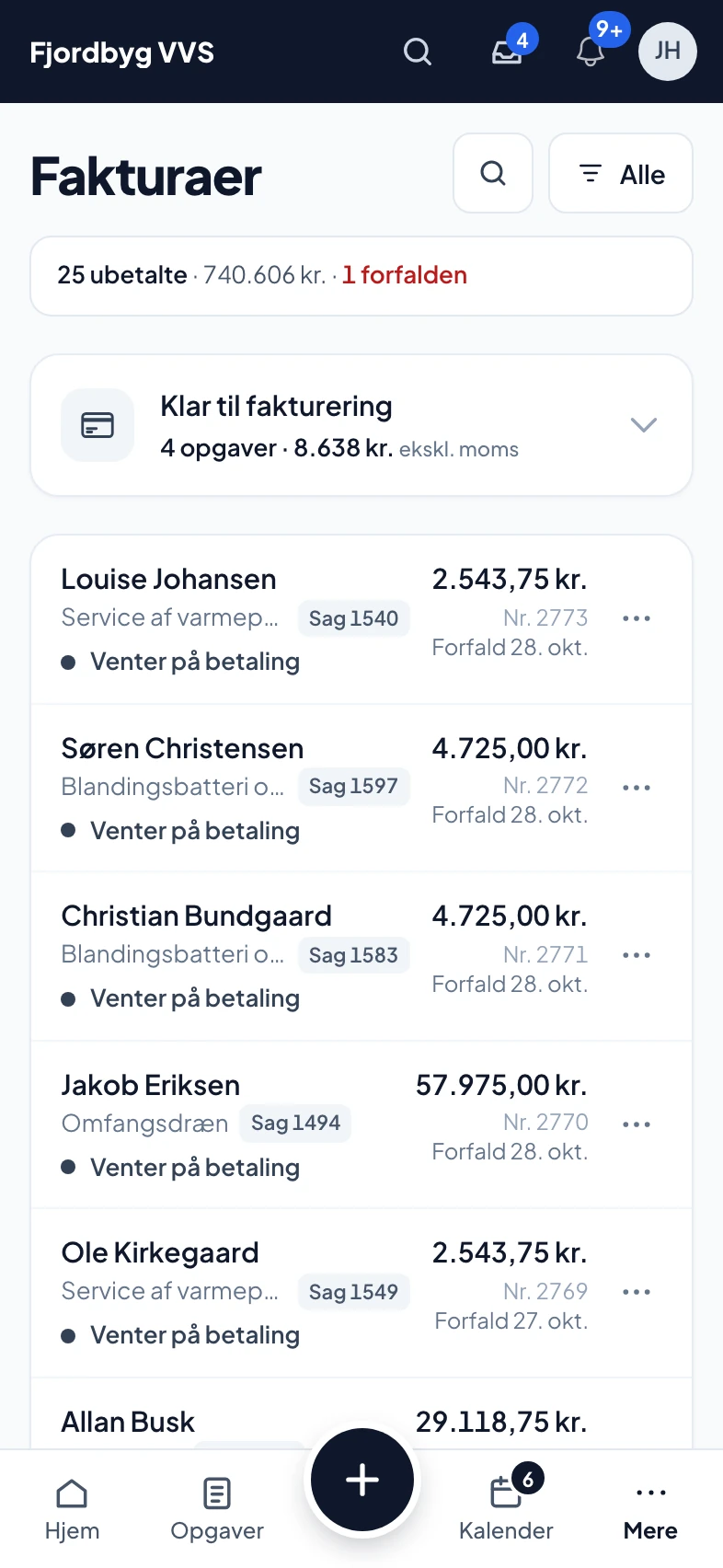
Each employee in their own column and multi-day jobs at the top. Drag a job to plan it.
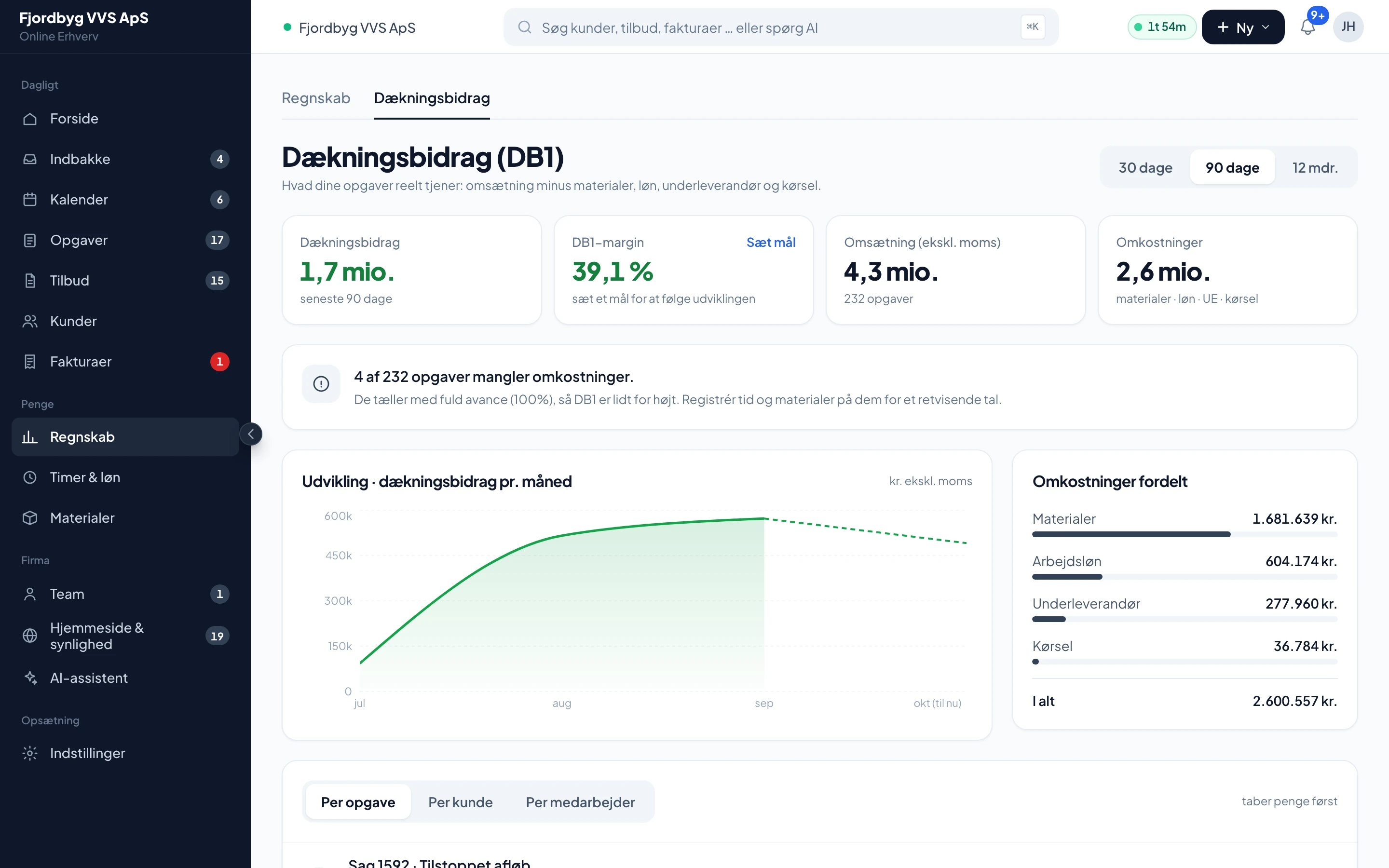
Contribution margin per job and customer, with pay, materials, subcontractors and mileage deducted.
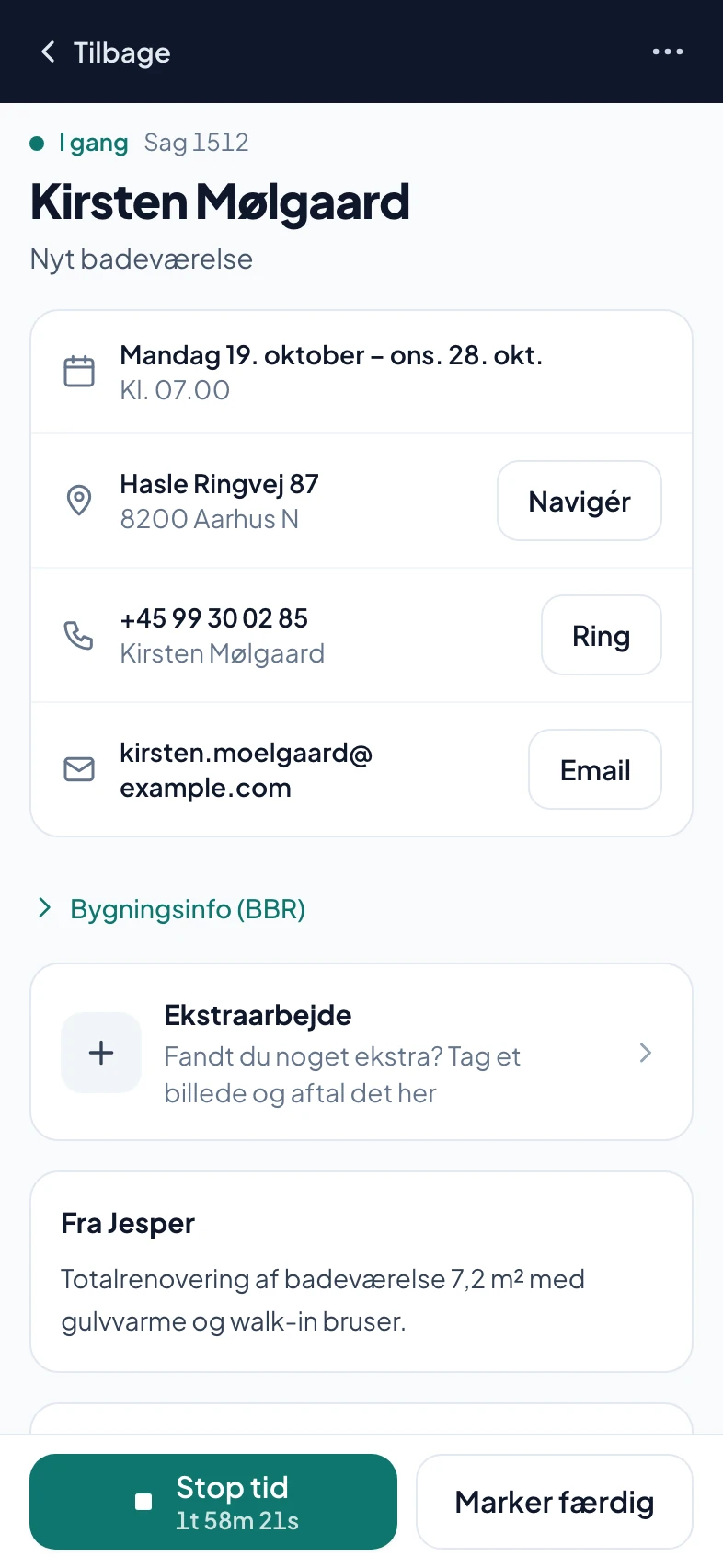
Customer, address, phases, photos, hours, materials and paperwork. Call, drive there or message the customer from there.
No card to try it. No lock-in. All prices are excl. VAT.
+ 250 DKK/mo per extra person · everything included
100 calls a month included
What is included, and what SMS and extra calls cost, is on the pricing page. See pricing →
You don’t have to start from scratch.
Two co-founders, one of whom runs a building company himself. Peter Lundholm handles partnerships.



Call us93 94 12 06weekdays 8am-4pm (Danish time)
If your question isn’t here, call 93 94 12 06.
No. You get 90 days free without a payment card. If it doesn’t work for you, there is nothing to cancel.
If you want to continue, you add a payment card. If you don’t, the account is paused. Nothing is charged, and your data is not deleted.
Yes. You keep your number and forward to the AI phone when you do not pick up yourself (after 20 seconds without an answer). We show you step by step how to set up the forwarding. In the settings you decide what the AI does: opening hours, what it does outside opening hours, and how urgent calls are handled.
Yes. Taps, photos and hours are saved on the phone and sent when there is a connection again. Photos are made smaller before they are sent, so they also get through on a poor connection.
No. When the job is marked as done, a draft invoice is created with VAT, payment terms and account number. You see it, approve it and send it yourself. If you required a deposit in the quote, the deposit invoice is however sent when the customer accepts the quote.
Yes, if you use e-conomic, Dinero or Billy. The invoice is booked once you have approved it, and payments registered in your accounts show in the app. For another program to book in your accounts, e-conomic requires at least the Plus subscription, and Dinero requires Dinero Pro. If you use something else, give us a call and we’ll work it out together.
The database is hosted by Supabase in the EU (Ireland). We never sell your data. Some sub-processors, for example for AI, SMS, telephony and payment, may process data outside the EU/EEA. This is done under the EU’s standard contractual clauses, and they are all listed in the data processing agreement.