 Online Erhverv
The employee app
Your employee opens the app in the morning and sees the day’s jobs, with the address and the button to tap. Hours, photos and materials land on the job, even when there is no signal.
Everything included. Installed from the browser, no App Store.
Demo company with made-up figures. The app is shown in Danish.
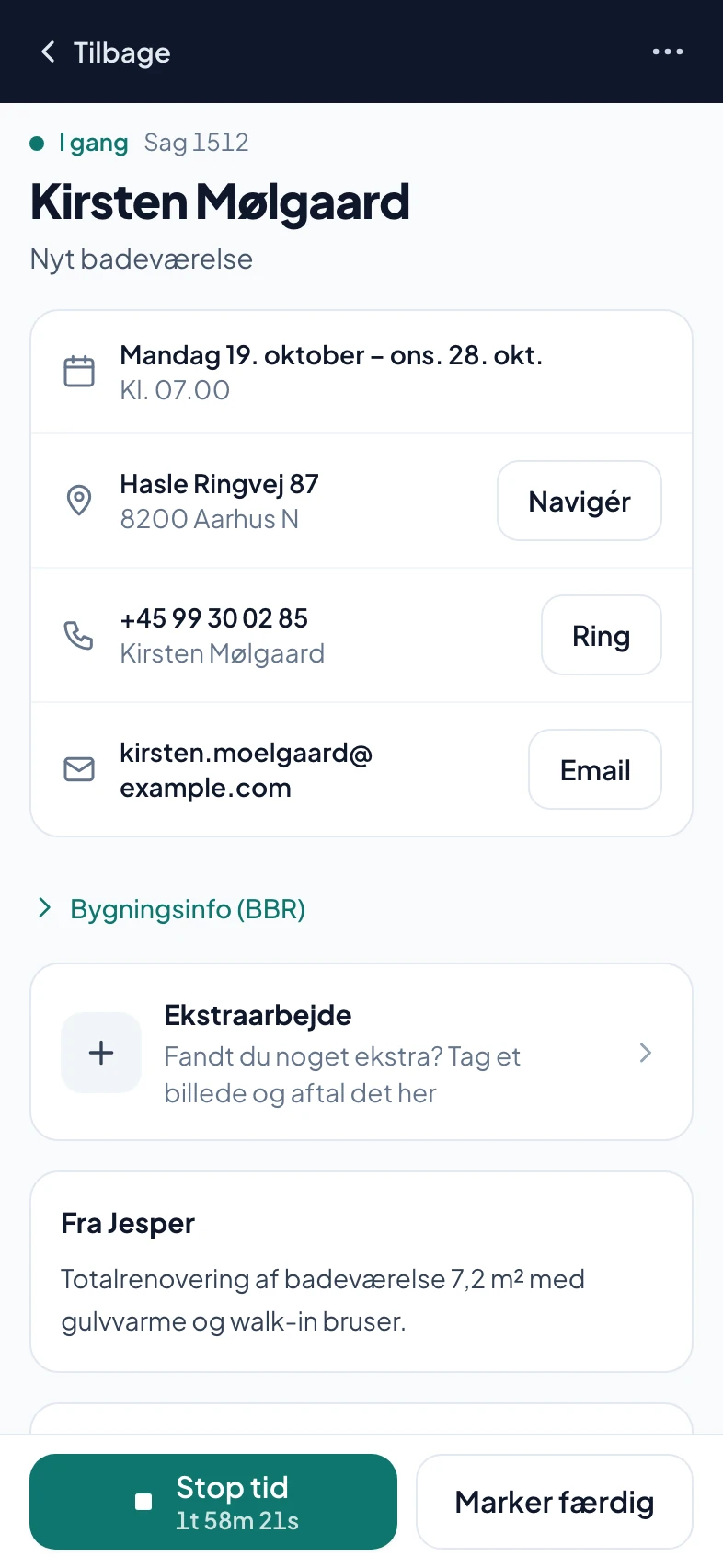
The job
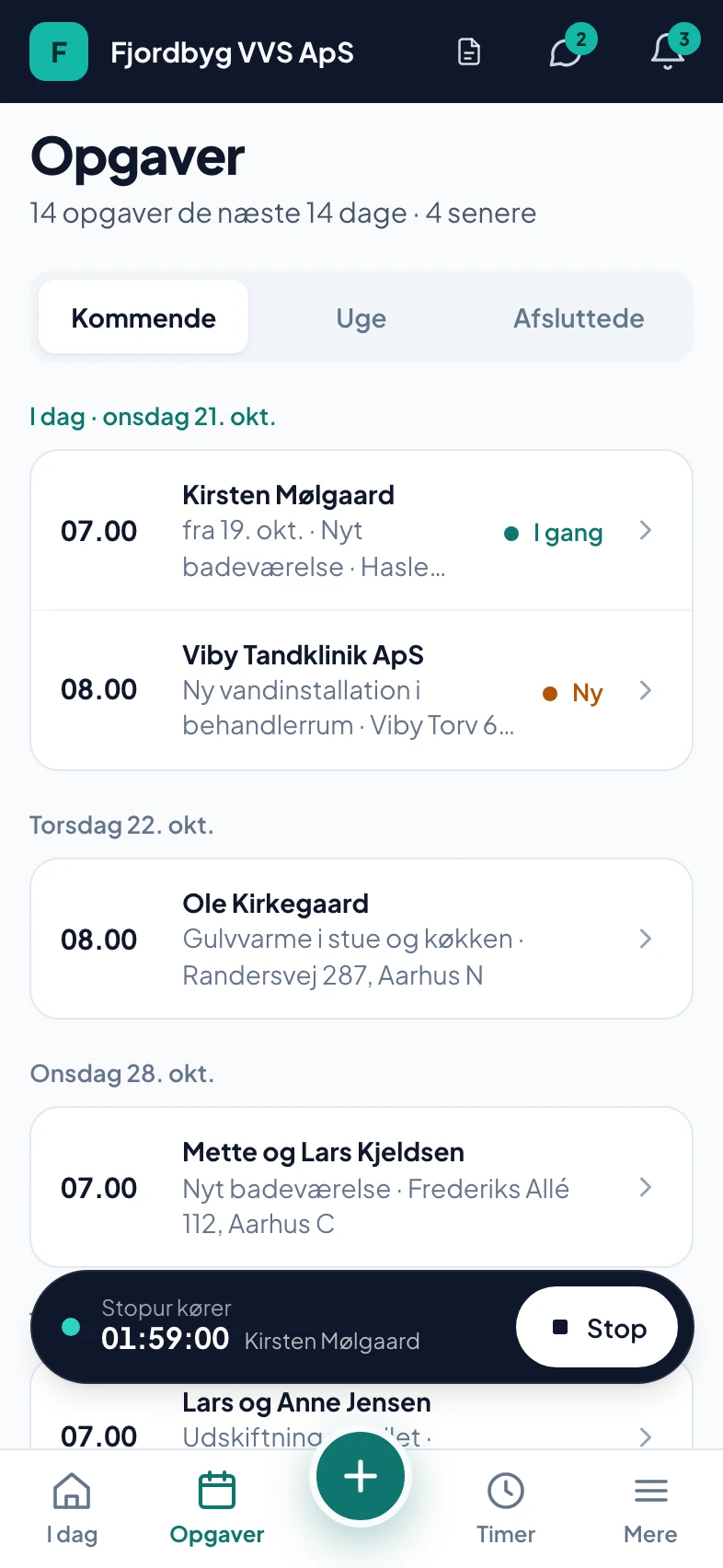
Today’s jobs
Built for a phone on a building site
Big buttons, few screens and no calls to the office about what needs doing.
Works in the basement
Without signal everything is saved on the phone and sent in the right order when there is a connection again.
Hours and pay in your pocket
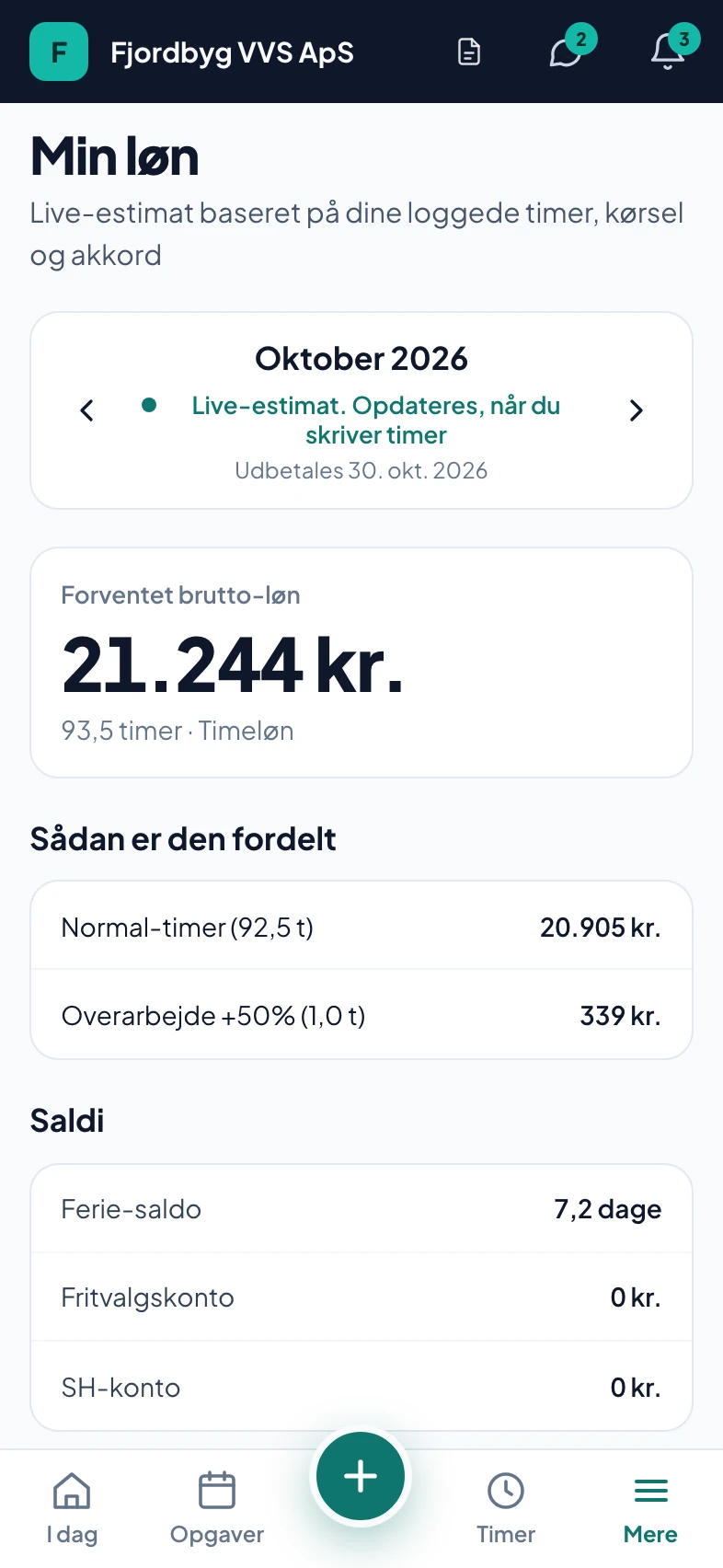
The clock keeps running when the phone is locked. Under My pay the employee sees their expected pay and holiday balance.
Each employee sees what they need
You decide per employee what they may see and do. Apprentices never see cost prices or margins.
The day starts with the next job
The home screen shows the next job with the right button: Start drive, Start job or Done.
Everything about the job on one screen
Address, phone, photos before, during and after, and materials that can be spoken in.
In Danish and English
Each employee chooses their own language, so a colleague from abroad can use the app from day one.
Also in the app
What the app does, and what it does not do.
- Only on the way to the customerFrom Start drive until the employee arrives, the customer and you can follow the van. Then it stops, after 3 hours at the latest.
- Nothing is lost without a connectionWhat is done without signal is sent when there is a connection, in the right order.
- No App StoreThe app is installed from the browser on iPhone and Android and updates itself.
- You control accessAn employee without access cannot fetch the finances around the app either.
- MessagesTeam chat and a direct line to the owner.
- NotificationsPush about new jobs, shifts, absence and missing hours.
How an employee gets started
No App Store and no training course.
- You invite himUnder Team you choose what he will do and see what he gets access to before you send.
- He gets the linkAn email with the invitation and, when you have entered his number, an SMS with the link to the app.
- The app on the home screenHe opens the link and adds the app to the home screen. The first time, he gets a short tour.
Fjordbyg VVS ApS
Hej Kasper! Fjordbyg VVS ApS har sat dig op i appen. 1) Tryk på linket i mailen og vælg en kode. 2) Åbn appen: se dagens opgaver, tryk Start, skriv timer og tag fotos. Appen: https://onlineerhverv.dk/employee
Sent in Danish.
Questions about the employee app
If your question isn’t here, call 93 94 12 06.
Do employees have to get the app from the App Store?
No. They open a link on their phone and add the app to the home screen. It works on iPhone and Android and updates itself.
Does the app work without signal?
Yes. Hours, status, materials, notes and checklist are saved on the phone and sent when there is a connection again, in the order they were made. Photos also wait until they can be sent. Start drive needs a connection, because the customer gets an SMS.
Can you see where your employees are all day?
No. Only from when the employee taps Start drive until they arrive at the customer can the customer and you see the van on the map. Sharing then stops by itself, after 3 hours at the latest. For the rest of the day, no position is shared.
Can my employees figure it out?
The home screen shows the next job and the button to tap: Start drive, Start job or Done. The first time they open the app, they get a short tour. If it still causes trouble, call us.
Does the employee app cost extra?
No. The employee app is included in the price. You pay per person with their own login, and everything is included.