Get paid on time
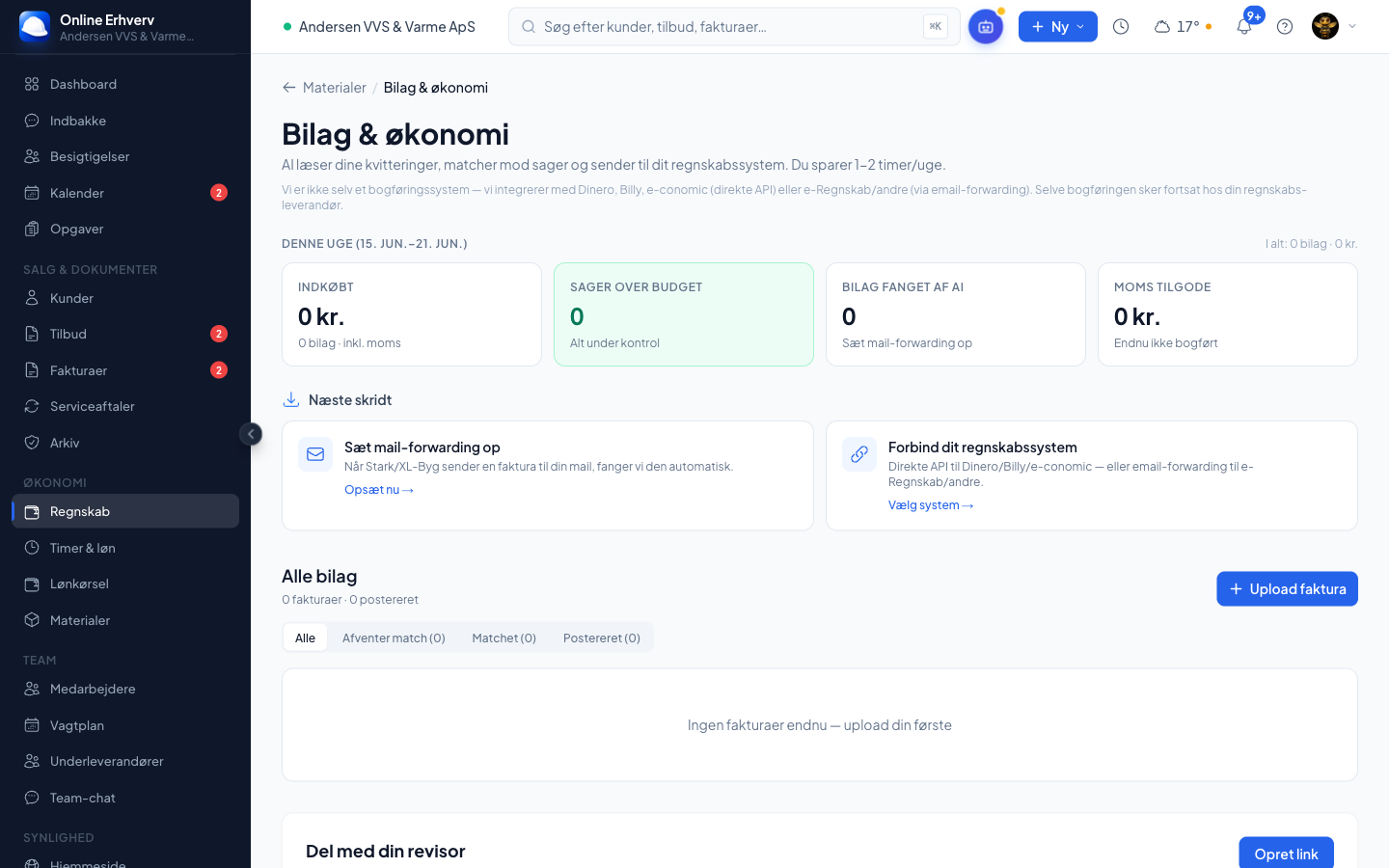
Pull hours, materials and mileage into an invoice. It is created as a draft and booked in Dinero, Billy or e-conomic when you approve — and you see exactly who has paid.
✓ Invoice follows the job✓ Booked automatically✓ Send a reminder in one tap
See it live — click around the demoThe invoice follows the job
When a job is done, the system gathers hours, materials and mileage into an invoice draft — with the deposit deducted, so you never double-charge. It never sends on its own: you see it, approve it and send it.
- Part payment and progress billing in stages
- Deposit deducted automatically
- You approve — nothing is sent behind your back
From quote to revenue — without opening a spreadsheet.
Click through the real workflow. The same job follows you all the way — you dictate the quote, see what you earn, the customer signs, the draft invoice is generated automatically, you send it, and the numbers land with your bookkeeper.
AI writes the quote while you stand by the van
Dictate the job — the system gathers prices, materials and a clean PDF with your logo.
- Dictate from the van: "Plumbing replacement, Vestergade 14, new radiator pipe"
- AI pulls prices from your own price list and material lists
- Suggests subcontractor lines if the job needs one
- A finished PDF with your branding is attached automatically
Chase payment — without the bad vibes
See overdue invoices and send a reminder in one tap — via your accounting system or as a polite message from us. Automatic reminders can be switched on (they are off by default), so you decide the tone with your customers.
- See who has paid — and who is outstanding
- A nudge for every finished job without an invoice
- Share invoice data securely with your accountant
Build your own calculation with your numbers
Put your own numbers in on the left — your hourly rate, your time on paperwork, and what you lose and pay today. It all adds up to one flat price on the right. We don’t guess; these are your numbers.
How it looks today
Jobs you miss out on because you couldn’t get to the phone
Quoting, invoicing, booking, SMS — scattered subscriptions
With Online Erhverv
Your net saving — with your numbers
That’s 244.716 DKK a year — and the system pays for itself in 3 days.
The calculation is based only on your own inputs — not a guess.
From invoices piling up to money in the account on time
How it works today
- Invoices get written in the evening — or a week too late
- Hours and materials have to be gathered from notes and memory
- The deposit gets forgotten, so the customer is charged twice
- Overdue invoices sit there forgotten — the money is missing
- The accountant emails back and forth chasing receipts
With Online Erhverv
- The invoice draft is ready the moment the job is finished
- Hours, materials and mileage are already gathered on the job
- The paid deposit is deducted automatically from the final invoice
- You see who has yet to pay and send a reminder in one tap
- The accountant gets their own secure access — no emails back and forth
From finished job to paid invoice
The invoice follows the job, is booked in your accounting system, and you see exactly who has paid.
Hours, materials and mileage are gathered into a draft you approve and send.
It is booked in Dinero, Billy or e-conomic when you approve — with invoice number and VAT in place.
See the real invoice PDF from your accounting system right inside the platform.
Invoice in stages on large jobs — the next stage knows the plan you already saved.
A paid deposit is offset on the final invoice, so you never double-charge.
See badges for whether the customer has opened and paid — right on the list and on the job.
Switch on friendly reminders if you want — off by default, so you control the tone.
A nudge for every finished job that has not yet been invoiced.
See the margin per job, so you know which jobs actually make money.
Share invoice and receipt data securely with your accountant — without handing over a login.
Your terms are merged automatically onto the back of every quote and invoice PDF.
Create a correct credit note that is also booked correctly in your accounting system.
“I hated invoicing — it always sat there hanging over me. Now the draft is ready when I close the job, and I can see on the list who has paid. My money comes in faster than it ever has.”
Frequently asked questions
The questions tradespeople ask most before getting started. Missing yours? Call or write — you’ll talk to a real person who knows the trade.
Frederik will happily show you what it would look like for your business — free, no sales talk.
How do I send an invoice quickly as a tradesperson?
When the job is done, the system gathers hours, materials and mileage into an invoice draft. It never sends on its own — you see it, approve it and send it, and it is booked in your accounting system.
Does the system deduct the deposit automatically?
Yes. If the customer paid a deposit when accepting the quote, it is deducted automatically from the final invoice, so you never double-charge.
Which accounting systems can you send to?
Dinero, Billy and e-conomic — direct API, so the invoice is booked when you approve. If you use a system without a public API, we can send the receipt as an email to your accounting inbox.
Can I split a large bill into stages?
Yes. Part payment and progress billing: invoice each phase as a percentage of the quote total or a fixed amount — stages already invoiced are deducted at the end.
Can I send reminders automatically?
Yes, but automatic reminders are off by default — you decide the tone with your customers. The system also reminds you of every finished job that is missing an invoice.
Can my accountant get access to the invoices?
Yes. Share invoice data securely with your accountant via a link with email verification — without a login and without the accountant seeing your internal notes.
Works together with
Your whole trade business — one system
Try it free for 90 days. No commitment, no credit card. You’re up and running in 10 minutes.
90 days free — from 995 DKK/mo. excl. VAT