 Online Erhverv
Hours and payroll
Your employees log their hours in the app while they are on the job. You approve the week’s hours with one tap, and only what you have approved goes on to payroll. Friday’s pile of timesheets disappears.
Everything is included in the price.
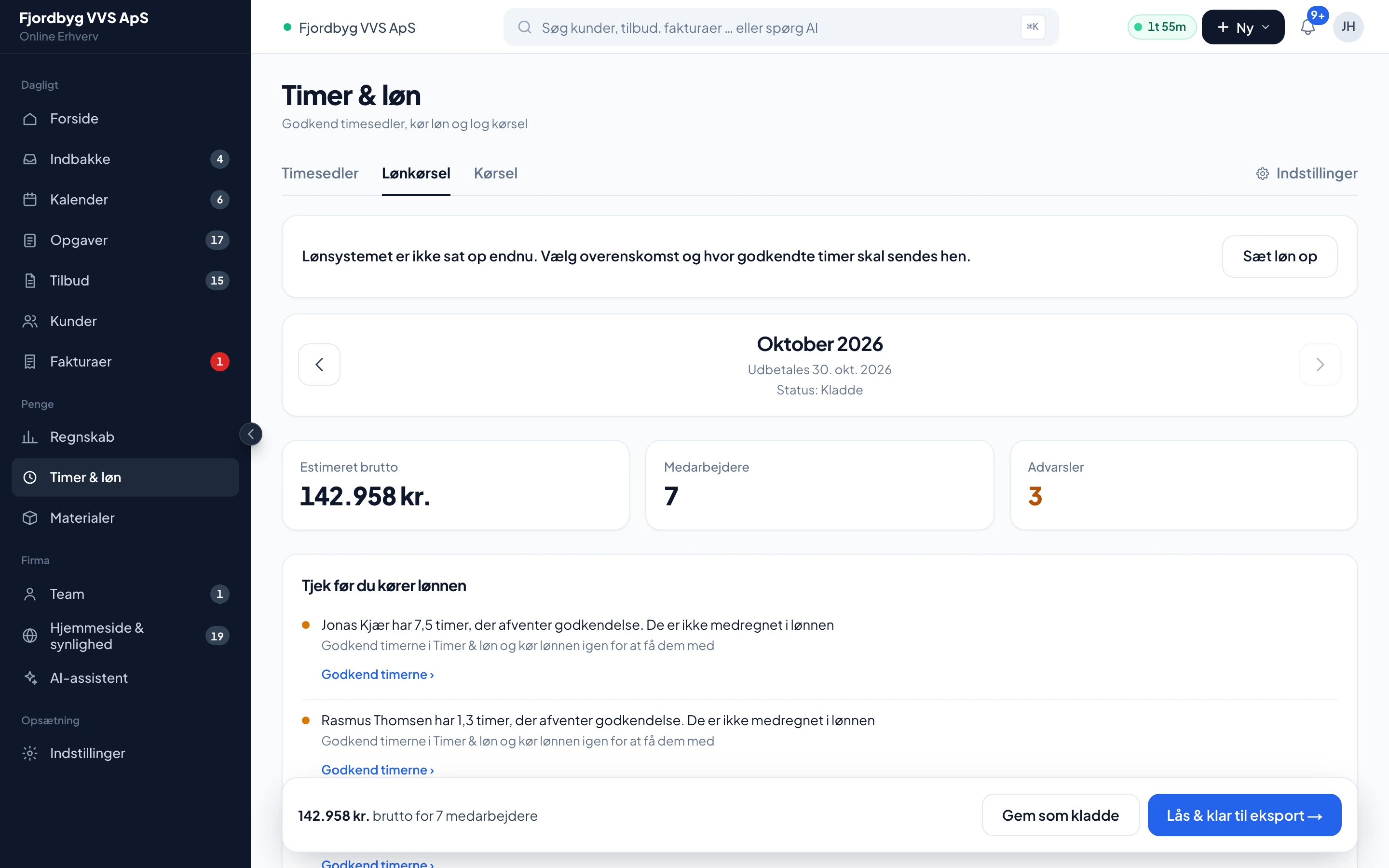
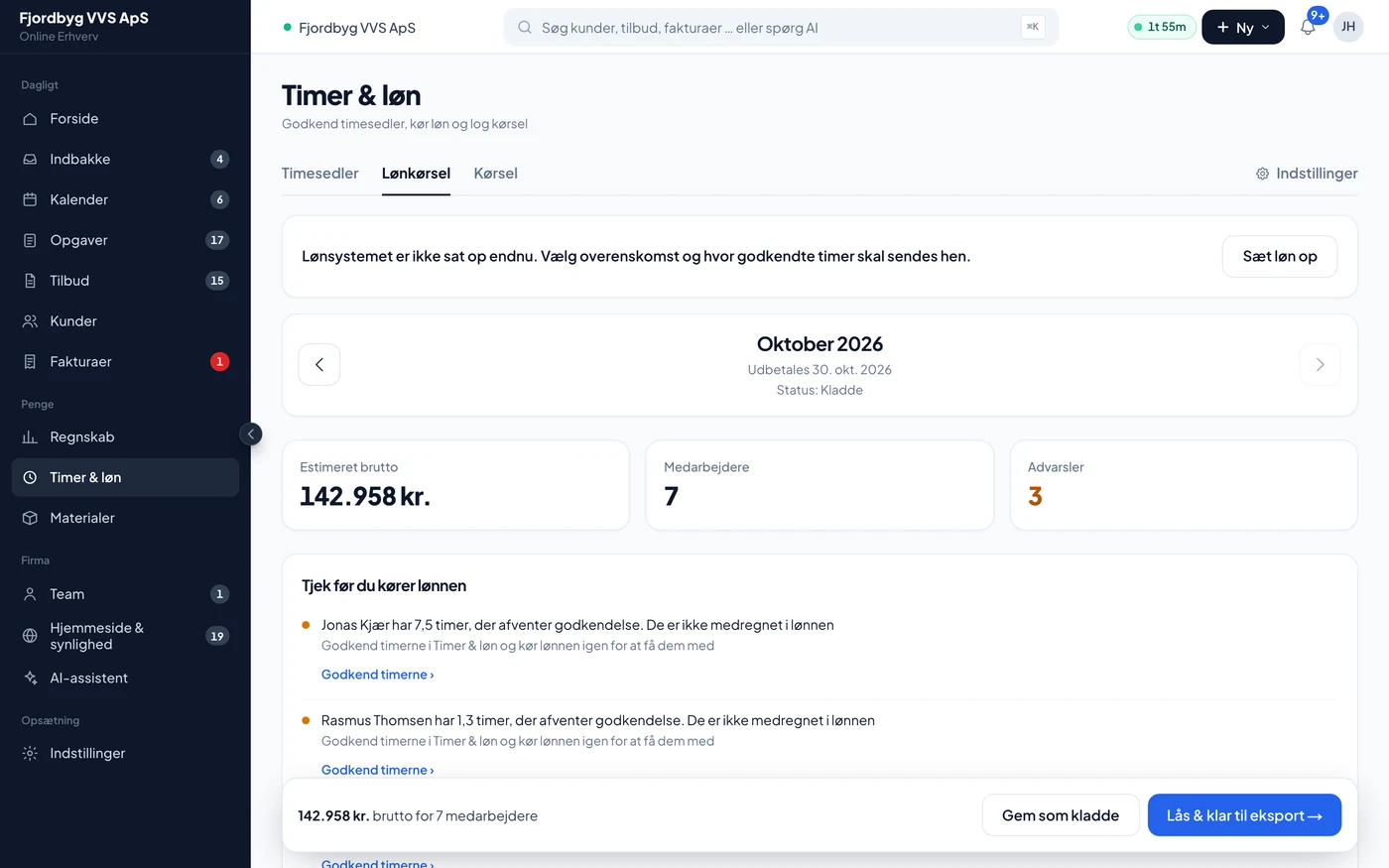
Demo company with made-up figures. The app is shown in Danish.
From timesheet to payroll system
Three steps, and only what you have approved becomes pay.
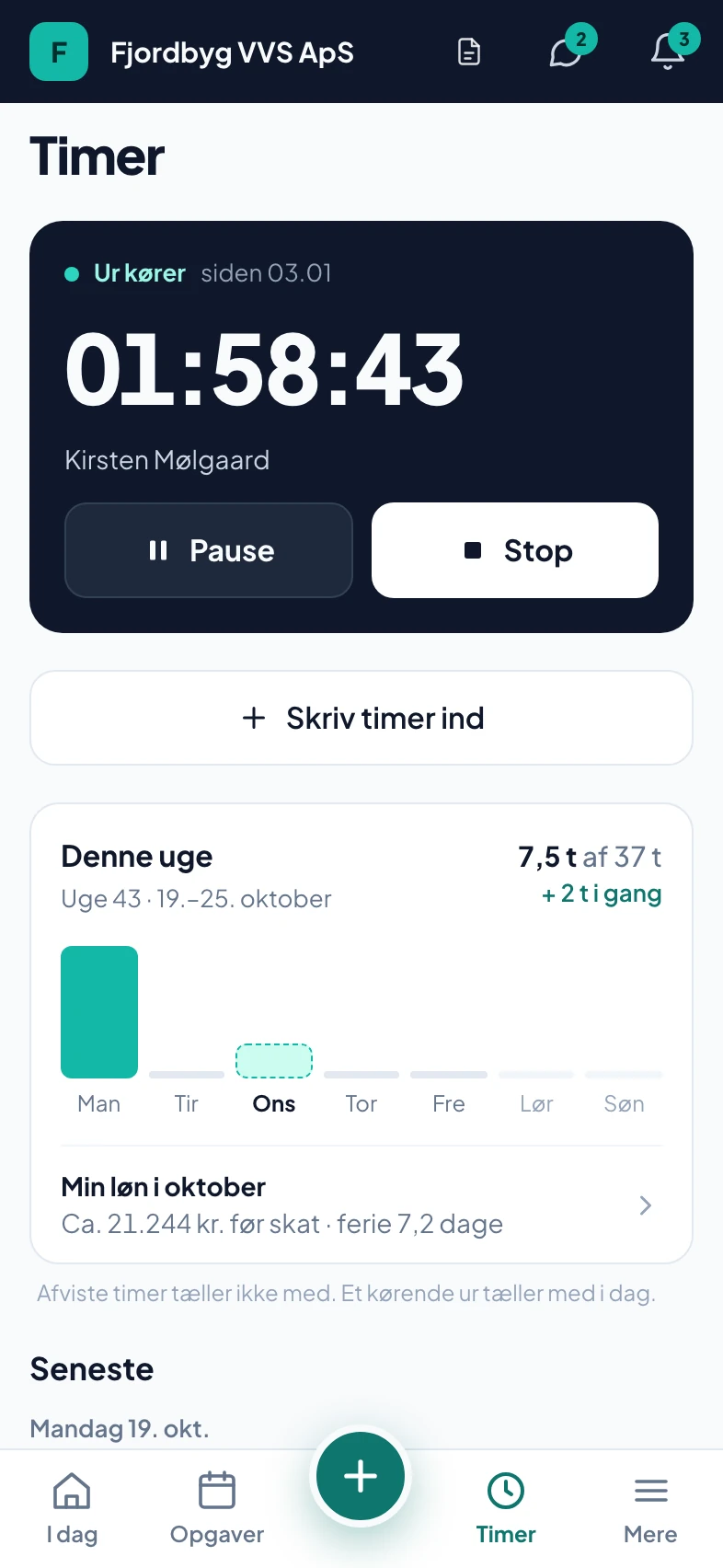
The employee logs the hours
The clock runs on the job, even when the phone is locked. The hours land on the week’s timesheet straight away.
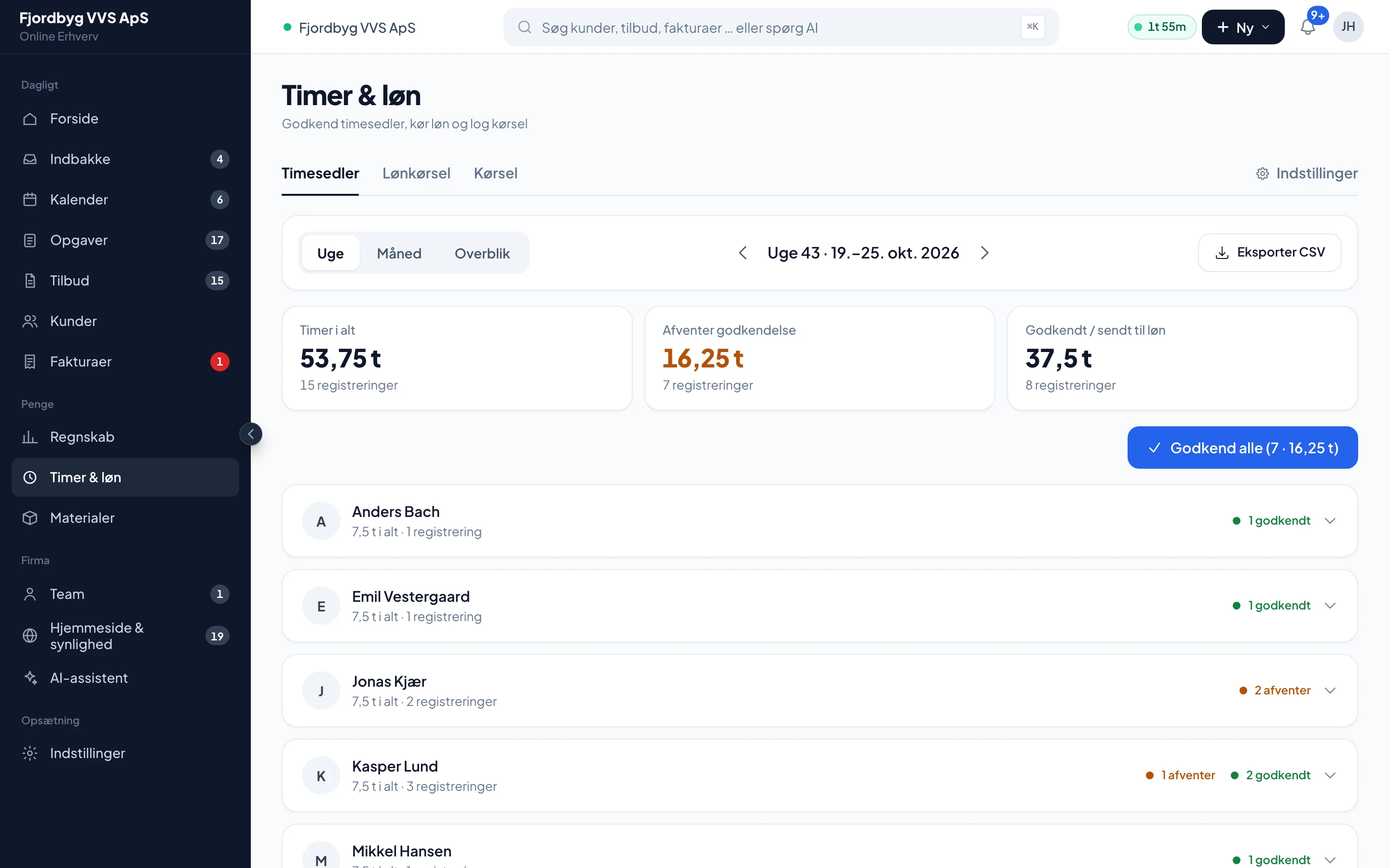
You approve the week
You see who has hours waiting and approve them all at once or one at a time.
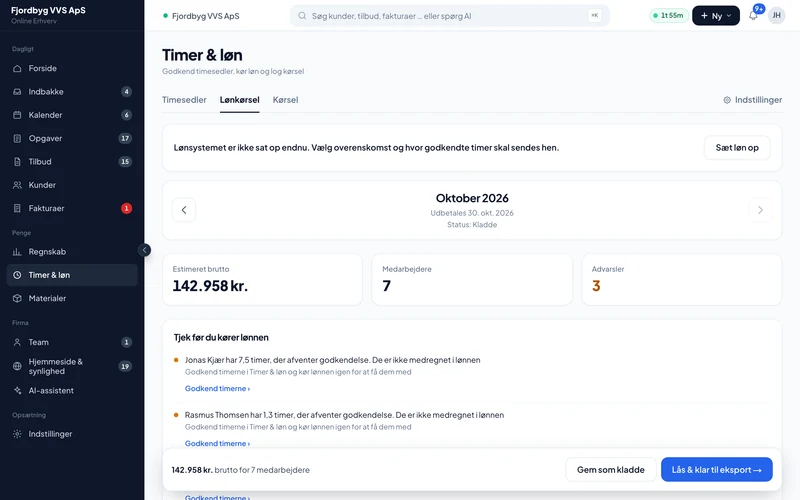
The payroll run checks and exports
Before you lock the period, it shows what is not approved yet. Then the pay goes straight to Salary.dk or as a file to Danløn and DataLøn.
- Salary.dk
- Danløn
- DataLøn
The rest of payroll
Hours are logged once, on the job. From there they are used for pay, contribution margin and invoicing.
Mileage per trip and job
Calculated at 3.94 DKK per km by default, or the rate you set in the settings. The logbook downloads as Excel.
The clock keeps running
The clock runs on our server, so it keeps going when the phone locks. Without signal the hours are saved on the phone.
Rates, supplements and overtime
Skilled worker, apprentice or salaried with their own rates. Overtime, piecework, supplements, pension and holiday are included.
Holiday and the paperwork
Holiday and absence with a balance, an employment contract under your collective agreement and a final settlement when someone leaves.
Also included
What the app does, and what your payroll system still does.
- Only approved hoursNo hour becomes pay before you have approved it.
- No double payA period marked as paid is not paid again.
- The payroll system does the taxIncome tax, labour market contribution and reporting are done in your payroll system or by the payroll bureau.
- Pay is privateEmployees and co-owners without pay access cannot see other people’s pay, not even around the app.
- Pay periodsCalendar month, every 14 days or, for example, from the 20th to the 19th.
- My payThe employee sees their expected pay and holiday balance in the app.
Questions about hours and payroll
If your question isn’t here, call 93 94 12 06.
Which payroll systems does it work with?
Salary.dk receives the period directly from the app. For Danløn and DataLøn you get a file in their format. If you use something else, you can download CSV or PDF or send the period to your payroll bureau by email.
Do hours go into payroll before I have seen them?
No. Only hours you have approved are included. Hours that are waiting are shown as not included.
Can our pay period run from the 20th to the 19th?
Yes. You choose calendar month, every 14 days or a fixed cut-off day.
Does the app calculate tax and labour market contribution?
No. The app calculates hours, overtime, supplements, mileage, holiday and pension. Income tax, labour market contribution and reporting are done by your payroll system.
Which mileage rate is used?
The app uses 3.94 DKK per km by default. You can change the rate in the settings if your accountant says otherwise.