 Online Erhverv
Quotes and customers
Write the quote at the customer’s place from what you say, a few photos or a message. AI drafts it with your own prices, you adjust it, and the customer signs on their phone.
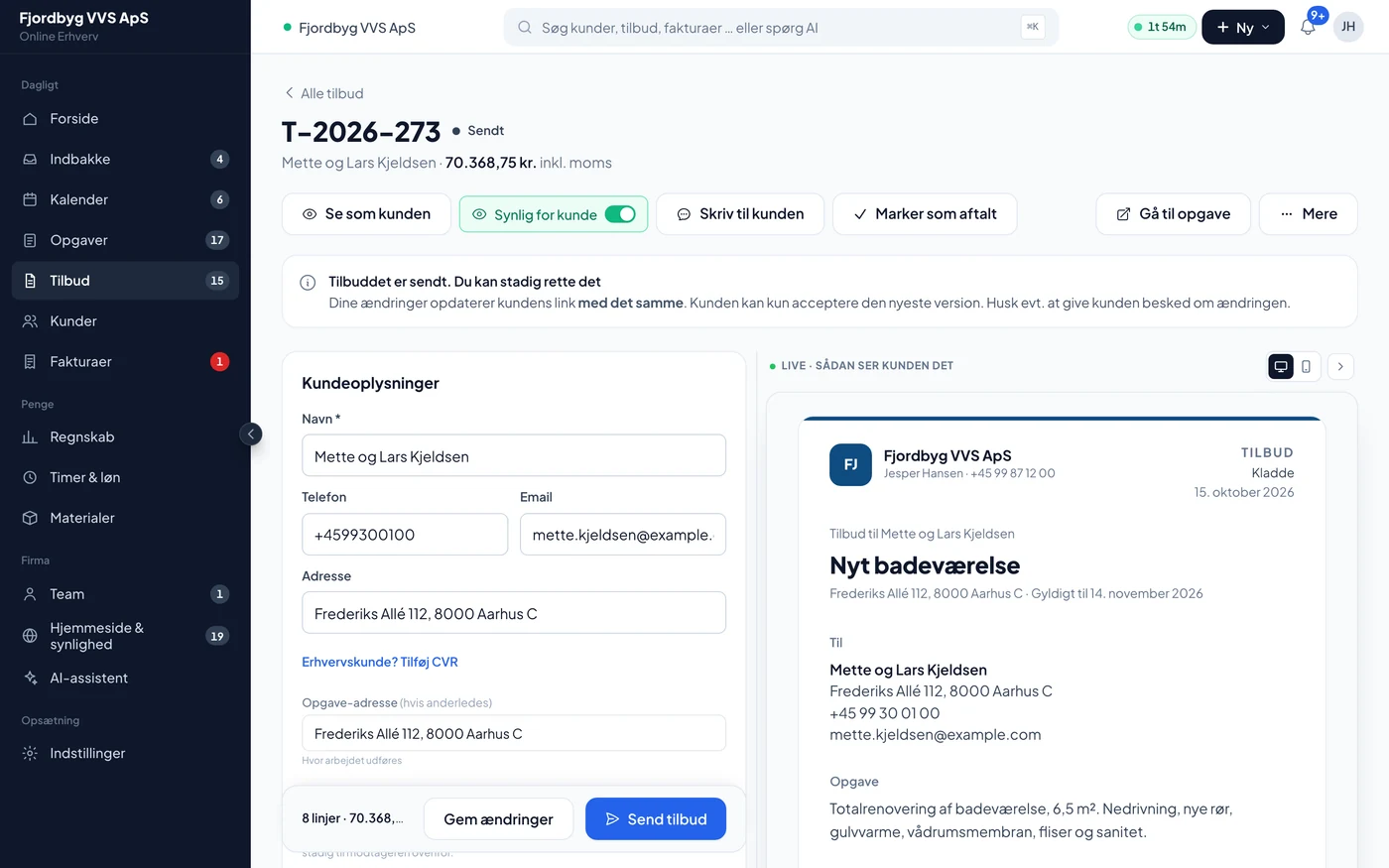
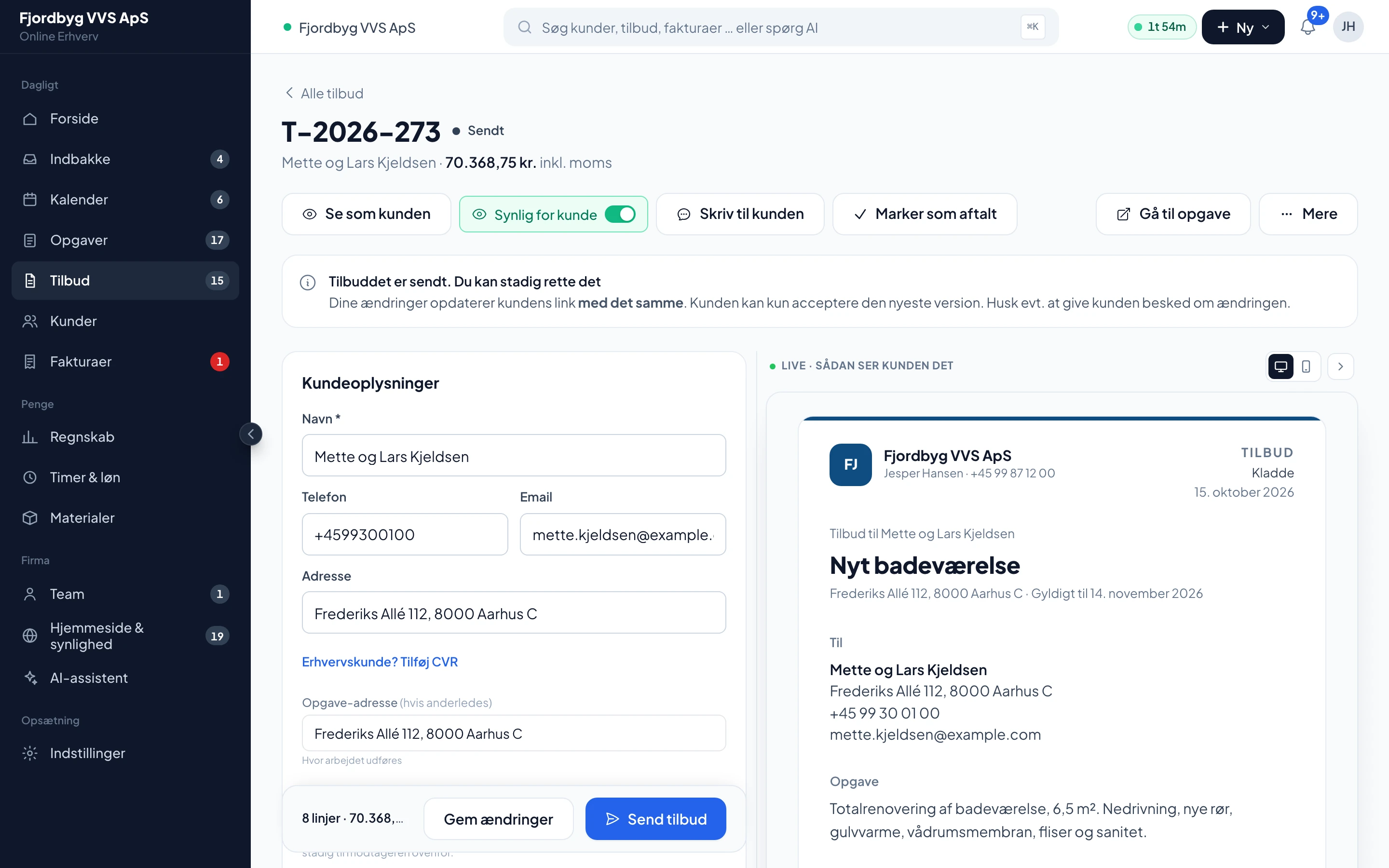
Demo company with made-up figures. The app is shown in Danish.
Three prices in one quote
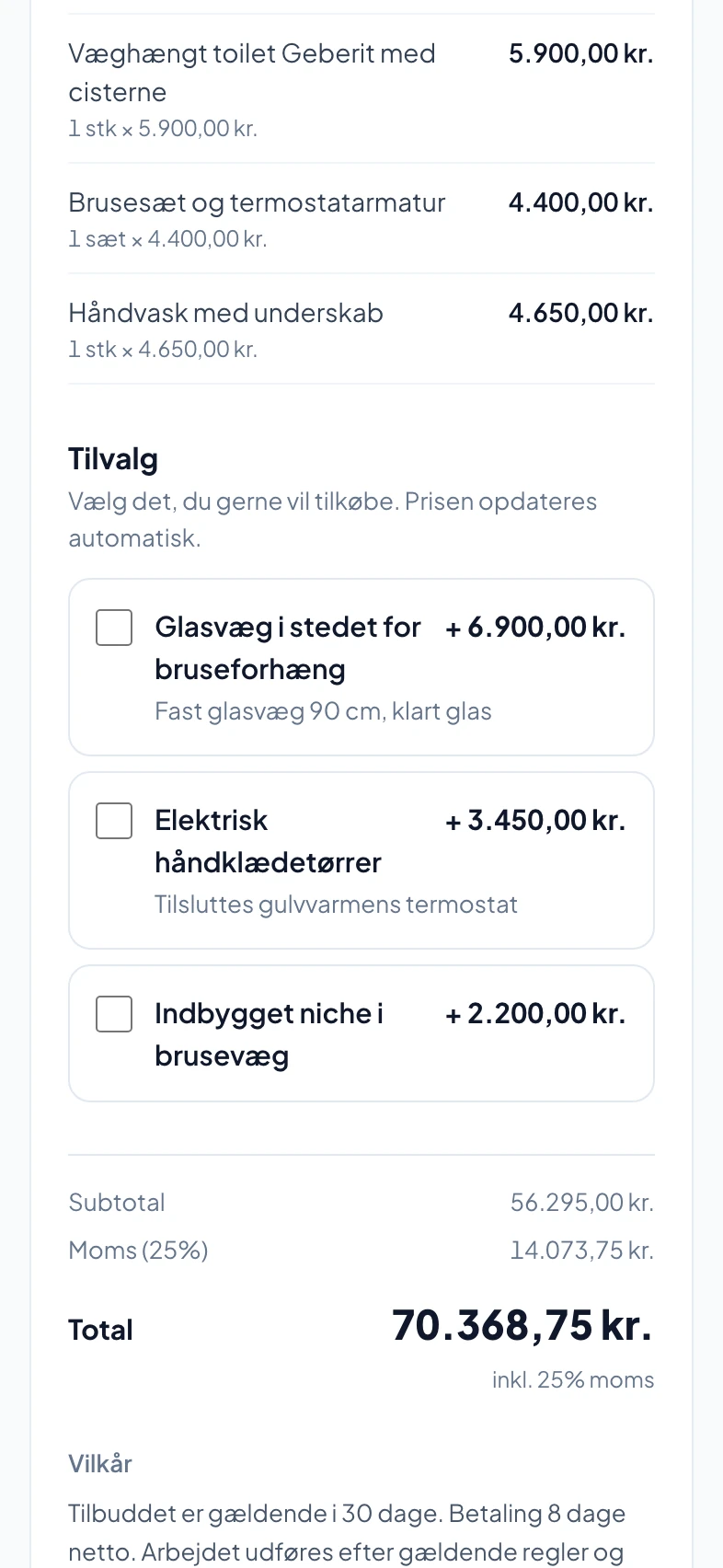
Give the customer Basic, Standard and Premium in the same quote, and change the names and prices. Tap between the options and watch the total change.
- Variants
- Three in the same quote
- Deposit
- Invoiced on acceptance and deducted from the final invoice
- With your logo and your terms of business on the back
- Demolition and disposal14 hours × 545 DKK7,630 DKK
- Plumbing: new drains and water pipes22 hours × 545 DKK11,990 DKK
- Electric underfloor heating 6.5 m² incl. thermostat1 set × 6,800 DKK6,800 DKK
- Wet room membrane and fitting1 set × 4,200 DKK4,200 DKK
- Tiles and tiling6.5 m² × 1,650 DKK10,725 DKK
- Wall-hung Geberit toilet with cistern1 pcs × 5,900 DKK5,900 DKK
- Shower set and thermostatic mixer1 set × 4,400 DKK4,400 DKK
- Washbasin with vanity unit1 pcs × 4,650 DKK4,650 DKK
- Total excl. VAT
- 56,295 DKK
- VAT 25%
- 14,073.75 DKK
- Total incl. VAT
- 70,368.75 DKK
Example built from the demo quote in the screenshots. Basic and Premium were made for this example.
From site visit to signed agreement
Quotes, change orders and the customer are linked, so the whole story sits in one place.
Change orders without arguments
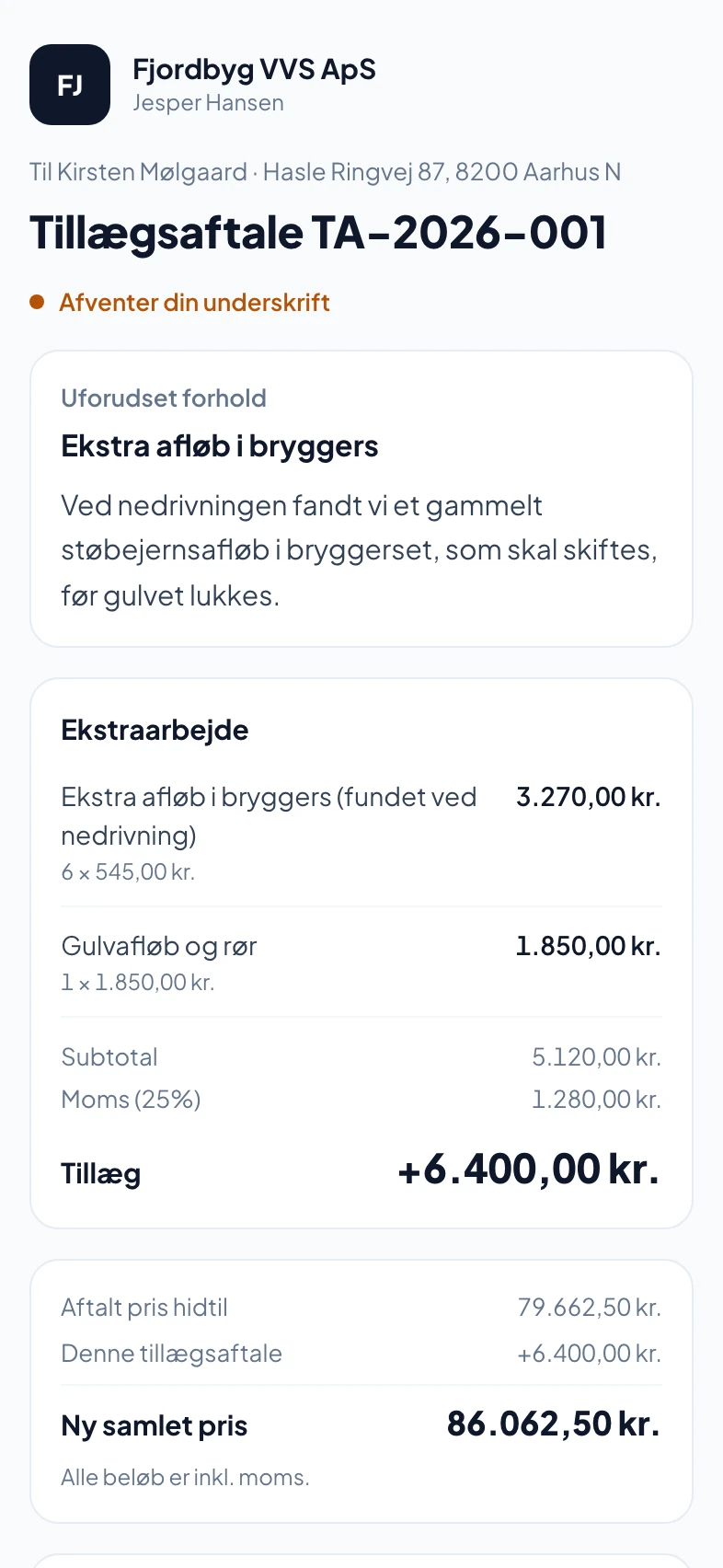
If extra work turns up, you send a change order. The customer sees the new lines, the price so far and the new total, and signs. The text refers to the Danish standard terms AB 18 and AB Forbruger.
AI drafts it, you decide
Describe the job out loud or take a few photos. AI suggests lines and prices from your earlier quotes and products. Nothing is sent until you have seen it.
The customer signs on their phone
The signature is stored with the time and a fingerprint of exactly the document the customer saw. You can see when the quote was opened.
The customer has their own overview
A link without login to the customer’s jobs, quotes, invoices and warranties. You decide what the customer sees, and drafts are never shown.
Also included
What the customer signs is what they saw.
- Nothing is sent without youAI makes drafts. You send.
- Locked after acceptanceAn accepted quote cannot be changed. Changes are made with a change order.
- Your pricesThe draft builds on your own quotes and products, not someone else’s price list.
- Customer cards by themselvesCreated when a customer books or gets a quote, and recognised by email and phone.
- Follow-upA reminder to the customer after 3, 7 and 14 days, if you switch it on.
- Green grantThe quote shows the customer if the job may qualify for a green grant.
The quote as the customer sees it
When the customer gets the quote
The customer does not log in or download anything. You can see when the quote was opened.
- The customer opens the linkThe quote on the phone with your logo, the options and the add-ons.
- Chooses and signsThe customer picks an option and ticks add-ons, which come on top of the chosen option. Then the customer signs. You can require a code by SMS or email.
- You are notifiedThe quote is locked after acceptance, and if you set a deposit, it is invoiced now.
Questions about quotes
If your question isn’t here, call 93 94 12 06.
Does the AI base the quote on my own prices?
Yes. The draft uses your earlier quotes and the prices in your product register. Each product line shows what you usually charge for the item.
Does a digital signature hold up?
The customer signs on their phone, and we store the time and a fingerprint of exactly the document the customer saw in one log. You can require a code by SMS or email for extra security.
Can I change a quote I have sent?
Yes, until the customer has accepted it. The quote gets a new version number, and if the customer tries to accept an old version, they are told to look at the new one. After acceptance the quote is locked.
Can the customer pay a deposit?
You can set a deposit on the quote. It is invoiced when the customer accepts and deducted from the final invoice.
Do I have to maintain the customer list?
No. The customer card is created when the customer books, gets a quote or an invoice. You can also import your customers from a file.